
1.1 KiB
1.1 KiB
How-to-re-trigger-Native-SACM-data-migration-job_686074234
Introduction
How to re-run the Native SACM data migration job if the status is still in process.
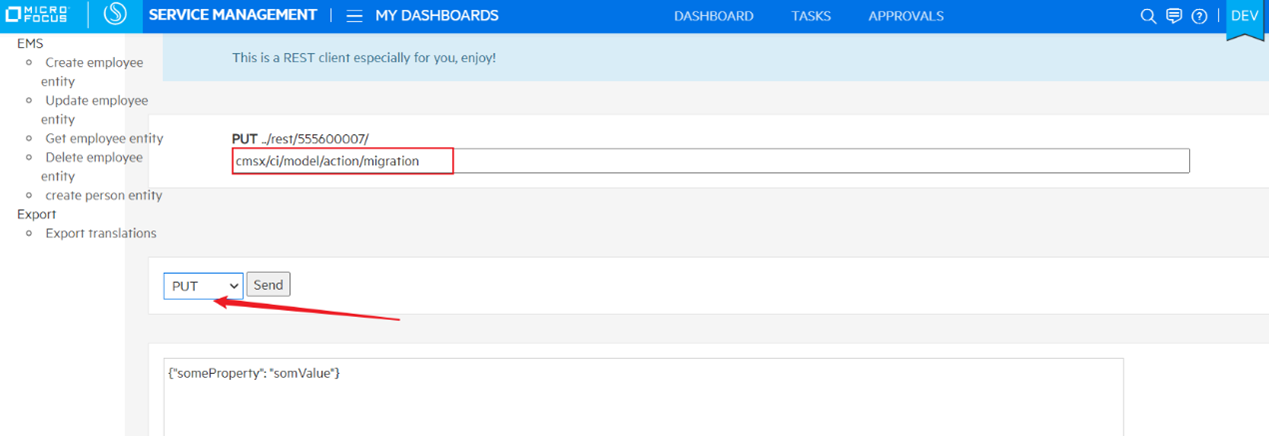
Call migration API in rest-client, details as follows.
-
Login the tenant which need to be trigger Native SACM data migration and using a tenant admin account
-
You copy the URL. Login using a tenant admin account

3)Open a new tab. And pasted the URL. And replace the tenant id with your tenant id.

- Change the URL as follows to rest client page. And go to the page.

- Input the API, and don’t need change the payload. Press Send button.
If the response status is 200, the migration works fine.
cmsx/ci/model/action/migration
3. Now you can go to BO, to check Native SACM data migration status.